There is a moment every website owner eventually has. You're doing a Google search, maybe checking on a competitor, and you notice something. Their result in Google is bigger than everyone else's. Not just a blue link and two lines of description — they have questions expanding right below their listing. Click one, and the answer drops down without even leaving the search page.
You think: how did they do that?
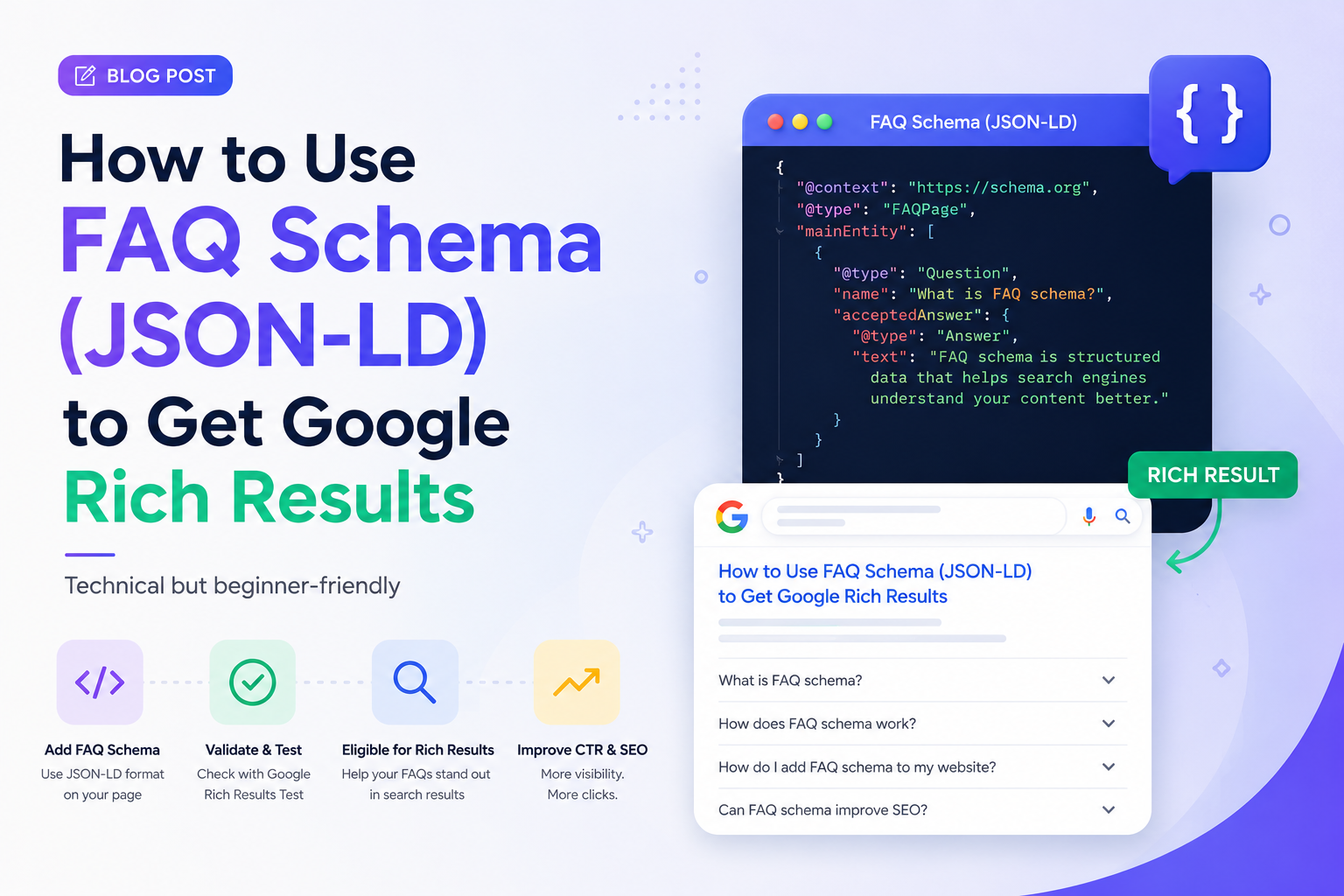
The answer, almost always, is FAQ schema. Specifically, a small piece of structured data called JSON-LD that you add to your pages. It tells Google exactly what your questions and answers are, in a format Google can read without any guesswork. And when Google reads it correctly, it can reward you with those expanded rich results that take up far more space on the page than a standard listing.
This guide is going to explain what FAQ schema actually is, how it works under the hood, and how to implement it yourself — even if you've never touched structured data before. No jargon walls. No assumption that you already know what JSON-LD stands for. We'll get there together.
What Is FAQ Schema and Why Does It Exist?
Let's back up for a second and talk about why schema markup exists in the first place.
Google's crawlers are incredibly sophisticated, but they still have a fundamental problem: HTML was designed for humans, not machines. When a crawler reads your page, it sees text, headings, and paragraphs — but it has to make educated guesses about what that content actually means. Is this a product? A recipe? A list of questions? A news article? The crawler infers context, but inference has limits.
Schema markup fixes this by giving you a direct channel to communicate with Google. Instead of Google guessing that your H3 heading followed by a paragraph might be a question and answer, you explicitly tell Google: this is a question, this is its answer, treat it accordingly.
FAQ schema specifically is part of the Schema.org vocabulary — a shared standard that Google, Bing, and other major search engines all agreed to support. When you mark up your FAQ content using this standard, you're speaking a language Google was designed to understand.
The payoff, when it works, is what Google calls a rich result — an enhanced display in search results that goes beyond the standard blue link. For FAQ schema, that means your questions can appear as expandable dropdowns directly on the search results page, visible before anyone even clicks through to your site.
What JSON-LD Actually Is (Without the Complexity)
FAQ schema can be implemented in a few different ways, but JSON-LD is the method Google recommends — and for good reason. It's the cleanest approach.
JSON-LD stands for JavaScript Object Notation for Linked Data. You don't need to memorize that. What you need to understand is what it does in practice: it lets you add structured data to your page in a separate block of code that doesn't touch your visible HTML at all. Your page looks exactly the same to your readers. The schema lives in its own script tag, invisible to visitors but fully readable by search engines.
Compare this to the older method of embedding schema attributes directly into your HTML tags. That approach works, but it gets messy — you end up with structured data scattered across your entire page, tangled up with your design code. JSON-LD keeps things clean. You write your structured data once, in one place, and it doesn't interfere with anything else on your page.
Here's what a very basic JSON-LD block looks like before we get into FAQ-specific code:
<script type="application/ld+json">
{
  "@context": "https://schema.org",
  "@type": "FAQPage",
  "mainEntity": []
}
</script>
That outer wrapper is always the same. The @context tells Google which vocabulary you're using (Schema.org). The @type tells Google what kind of content this is (a FAQ page). And mainEntity is where your actual questions and answers go. That's the part we're about to fill in.
The Anatomy of FAQ Schema: A Complete Working Example
Let's build a real example from scratch rather than showing you an abstract template. Say you run a small business offering web design services, and you've got a FAQ page. Here's exactly what your FAQ schema should look like:
<script type="application/ld+json">
{
  "@context": "https://schema.org",
  "@type": "FAQPage",
  "mainEntity": [
    {
      "@type": "Question",
      "name": "How long does it take to build a website?",
      "acceptedAnswer": {
        "@type": "Answer",
        "text": "Most small business websites take between 2 and 6 weeks from the initial brief to launch. The timeline depends on how quickly feedback rounds happen, the complexity of the design, and whether custom features are involved. A simple 5-page informational site can be done in 2 weeks. A full e-commerce build with custom integrations typically needs 6 to 10 weeks."
      }
    },
    {
      "@type": "Question",
      "name": "Do I need to provide the content, or do you write it?",
      "acceptedAnswer": {
        "@type": "Answer",
        "text": "We can work either way. If you have existing content — text, images, branding materials — we'll use and adapt what you have. If you need content written from scratch, we offer copywriting as an add-on service. Most clients provide a rough draft of their key pages and we refine it during the design process."
      }
    },
    {
      "@type": "Question",
      "name": "What does a new website typically cost?",
      "acceptedAnswer": {
        "@type": "Answer",
        "text": "Pricing varies depending on scope. A simple brochure website with 4 to 6 pages starts from around £1,500. E-commerce sites with product management, payment processing, and inventory features start from £4,000. Custom web applications are quoted on a project basis after a discovery call."
      }
    }
  ]
}
</script>
Let's walk through what's happening here so it actually makes sense rather than just being something you copy and paste blindly.
Every question sits inside the mainEntity array as its own object with "@type": "Question". The name field is the question itself — write it exactly as you'd want it to appear in search results, because Google may display it word for word. The acceptedAnswer object holds your answer in the text field.
The text field is plain text only. Don't put HTML links or formatting tags inside it. Google's rich result display won't render them, and they can cause validation errors.
Pro Tip: Write the
namefield as a complete question with a question mark. "How long does it take to build a website?" performs better than "Website build time" because it matches how real people phrase their search queries — and AI engines extract natural-language questions far more reliably than keyword fragments.
Where to Put the Script Tag on Your Page
This is the question that trips people up most often, and the answer is simpler than you'd expect.
The JSON-LD script block can go in the <head> of your page or anywhere in the <body>. Google's documentation confirms both work. In practice, most developers put it in the <head> section because it keeps structured data logically separated from your visible content. But if your CMS makes it easier to inject it into the body, that's completely fine too.
What matters is that the script tag is present in the page's source HTML — not loaded asynchronously after the page renders. If you're using a JavaScript framework that renders content client-side, make sure your FAQ schema gets rendered in the initial HTML response. Googlebot can execute JavaScript, but it's a delayed second pass. Your schema should be in the first pass.
For WordPress users, you can add JSON-LD through your theme's functions.php file, through a plugin like RankMath or Yoast (which have FAQ schema features built in), or through a custom plugin. For custom-built sites, add the script directly to the page template.
For everyone else — if your CMS has a "custom code" or "header scripts" section, that's where it goes.
How to Test Whether Your Schema Is Working
Before you go live, you need to verify that Google can actually read your schema correctly. Fortunately, Google provides a free tool specifically for this: the Rich Results Test at search.google.com/test/rich-results.
Here's the process:
- Paste your page URL into the Rich Results Test (or paste your raw HTML if the page isn't live yet)
- Click "Test URL" and wait about ten seconds
- The tool will tell you whether your page is eligible for FAQ rich results, show you a preview of what the result might look like in Google, and flag any errors in your schema
Common errors the validator catches:
- Missing required field: You've forgotten either the
nameor theacceptedAnswer.texton one of your questions - Invalid value: You've put HTML markup inside the
textfield — strip it out and use plain text only - Unparsable structured data: A syntax error in your JSON — a missing comma, an unclosed bracket, an extra quotation mark. JSON is unforgiving about this. Use JSONLint.com to check your JSON syntax before testing in Google's tool.
If the test shows "eligible for rich results" with a green tick, you're done. Google has everything it needs. Now it's a matter of waiting for Googlebot to re-crawl your page — which usually happens within a few days to a couple of weeks for most sites.
Key Insight: Passing the Rich Results Test doesn't guarantee your rich result will appear in search. It means your schema is technically valid and you're eligible. Whether Google actually displays the rich result depends on query context, competition, and Google's assessment of your page's overall quality and authority. Eligibility is the first step — not the finish line.
What Google's Rules Say About FAQ Schema (Read This Before You Write Your Questions)
Google has content guidelines for FAQ rich results, and violating them means Google may suppress your rich result even if your schema is technically valid. These aren't obscure rules buried in documentation — they're things that are genuinely worth knowing before you write your questions.
Only use FAQ schema for genuine questions and answers
Google explicitly states that FAQ rich results are only for pages where the FAQ is the primary content and the answers are provided by the site itself. If your "FAQ" is really a forum where multiple users can post different answers, that's a different schema type (Q&A schema). If your FAQ is primarily promotional copy with question marks added to the sentences — Google's quality raters will catch it.
Don't duplicate content from other pages
Each FAQ answer should be original, not pulled verbatim from your product descriptions or rephrased versions of your homepage copy. Google penalises thin FAQ content, and a rich result from a thin page is short-lived even if it appears initially.
Answers must match what's on the page
The answers in your JSON-LD schema must match — or at very least closely match — the answers visible on your actual page. If your schema answer says one thing and the page says something different, that's a mismatch Google will flag as potentially misleading.
No advertising or purely promotional answers
Answers that are primarily promotional ("Our product is the best on the market and here's why you should buy it today") violate Google's guidelines. Answers should provide genuine information, not pitch copy. You can mention your product in context, but the answer needs to serve the reader's question, not your conversion funnel.
The 2023 restriction — and what it means now
In late 2023, Google significantly narrowed where FAQ rich results appear, limiting them to what it called "authoritative government and health websites" for many query types. This caused a lot of confusion and frustration at the time. The current reality in 2026 is more nuanced: FAQ rich results still appear regularly for informational and how-to queries in niche categories, product FAQ pages, and technical content. They appear far less for broad consumer queries. If your FAQ covers something specific — a software tool, a professional service, a technical process — you still have a genuine shot at rich results. If it's a general consumer topic, your expectation should be that the schema improves passage indexing and AI citation even if the visual rich result doesn't appear.
FAQ Schema for AI Search: The Part Most Guides Skip
Rich results in Google are the obvious payoff of FAQ schema. But there's a less-discussed benefit that is increasingly important: how FAQ schema affects your visibility in AI answer engines.
When Perplexity, ChatGPT Search, or Google's AI Overviews scan your page looking for a clean answer to cite, they're doing a version of what Google's rich result algorithm does — extracting a question-answer pair and presenting it to the user. Pages with FAQ schema give AI systems a significant advantage in this extraction process.
The schema acts like a signpost. Instead of the AI having to parse your page and guess which paragraphs correspond to which questions, the JSON-LD explicitly says: this is the question, this is the answer, here are the boundaries. AI systems that process structured data can extract your answers with much higher confidence, which increases the probability that they use your content — and cite your site — rather than a competitor's.
This is why FAQ schema is worth implementing even if you're not immediately seeing rich results in traditional Google search. The same structured data that helps Google display a rich result also helps AI engines extract and cite your content. Both benefits come from the same twenty lines of JSON.
To compound this advantage, pairing your FAQ schema with an llms.txt file tells AI crawlers specifically which pages on your site contain high-quality, citable content. Your FAQ page — with its clean schema — is exactly the kind of page that belongs in that file.
Multiple FAQ Sections on One Page: How to Handle It
Sometimes you have more than one FAQ section on a single page. Maybe you have a general FAQ near the top and a more technical FAQ near the bottom. Or a pricing FAQ and a returns FAQ on the same product page.
The right approach is a single FAQPage schema block that contains all the questions from across the page, regardless of where they appear in the HTML. Don't create two separate FAQPage blocks — Google's guidelines say you should have one per page. Merge your questions into a single mainEntity array.
<script type="application/ld+json">
{
  "@context": "https://schema.org",
  "@type": "FAQPage",
  "mainEntity": [
    {
      "@type": "Question",
      "name": "First question from section one?",
      "acceptedAnswer": {
        "@type": "Answer",
        "text": "Answer to the first question."
      }
    },
    {
      "@type": "Question",
      "name": "First question from section two?",
      "acceptedAnswer": {
        "@type": "Answer",
        "text": "Answer to the second section's first question."
      }
    }
  ]
}
</script>
Keep the JSON-LD block in your page's head section and put all questions in the same array, regardless of where they sit on the page visually. Clean and simple.
Common JSON Syntax Mistakes That Break Your Schema
JSON is a strict format. One misplaced comma or missing quotation mark breaks the entire block. Here are the mistakes that come up most often:
- Trailing comma after the last item in an array or object. This is the most common mistake. In JSON, the last item in a list must not have a comma after it.
{"name": "Question?"}followed by a comma before the closing bracket will throw a parse error. - Using single quotes instead of double quotes. JSON requires double quotes around all strings and property names. Single quotes are not valid JSON, even though they're fine in regular JavaScript.
- Line breaks inside string values. If your answer text spans multiple lines in your code editor, make sure the line breaks are properly handled. Either keep the text on one line or use
\nto represent line breaks within the string. - Unescaped special characters. If your question or answer contains a double quote character (like a measurement in inches, or a quoted phrase), you need to escape it with a backslash:
\". Otherwise JSON thinks the string has ended. - HTML entities inside the text field. Some editors auto-convert apostrophes to
'or ampersands to&. Strip those out and use the plain characters, or properly escape them for JSON.
If your Rich Results Test comes back with an "unparsable structured data" error, paste your JSON into JSONLint.com first. It will highlight exactly which line the syntax error is on, which saves a lot of frustrating trial and error.
How the GeoTools FAQ Generator Handles Schema For You
Everything we've covered in this guide is something you can do manually. If you're comfortable in code — or you've just read all of this and want to do it right — you now have everything you need.
But a lot of people reading this don't want to hand-write JSON every time they add a new FAQ section. And honestly, that's a reasonable position. Writing valid JSON is not difficult, but it is tedious. One misplaced character breaks the whole thing, the testing loop takes time, and if you're managing multiple pages with FAQ sections, it adds up fast.
That's the specific problem the GeoTools FAQ Generator was built to solve. You enter your questions and answers into a simple interface, and the tool generates the complete JSON-LD block — syntactically valid, properly structured, ready to paste directly into your page's head section. No JSON editing, no validation loop, no schema errors to debug.
It also takes care of the question formatting — making sure questions are phrased as proper sentences with question marks, which is one of the small things people overlook when writing schema manually but which genuinely affects how Google and AI engines handle the content.
If you want to check whether your existing FAQ pages have valid schema before implementing anything new, the GeoTools SEO Checker will surface those gaps. And if you want to ensure AI crawlers can find and trust your FAQ pages beyond schema alone, the LLMs.txt Generator handles the AI discoverability layer that schema doesn't cover.
A Realistic Timeline: When Will Your Rich Result Appear?
This is the question nobody wants to answer honestly, so let's be straight about it.
After you add valid FAQ schema to a page, Google needs to re-crawl that page before it can consider it for rich results. For most sites, Googlebot revisits pages somewhere between every few days and every two to three weeks, depending on how frequently your site updates and how much authority it carries. New sites with few backlinks tend to get crawled less often.
You can speed this up slightly by submitting the URL for re-indexing in Google Search Console (under URL Inspection → Request Indexing). This doesn't guarantee immediate crawling, but it pushes the page to the front of Google's crawl queue.
Once the page is crawled and Google processes the schema, rich results typically begin appearing within one to two weeks. If they haven't appeared after four to six weeks, go back to the Rich Results Test and verify your schema is still valid. Sometimes a CMS update, a template change, or a plugin conflict can remove or corrupt the script block without you noticing.
The honest truth about timing is that the factors most within your control are: valid schema, strong page content, and a site that Google already trusts. The factor least within your control is Google's decision about whether your particular page and query type qualify for the visual rich result. Do the first three correctly, and the fourth follows naturally over time.
The Bottom Line
FAQ schema isn't magic. It's a straightforward communication between you and Google — you tell Google exactly what your questions and answers are, in a format it was built to read, and Google rewards that clarity with better visibility.
The technical side of it is genuinely simpler than it looks from the outside. A script tag in your page head. A JSON block with a consistent structure. Each question and answer as its own object. Run it through the Rich Results Test, fix any errors, and submit for re-indexing. That's the whole process.
What matters more than the implementation is the quality of the underlying content. Schema makes good FAQ content more visible. It doesn't rescue poor FAQ content from obscurity. Write answers that genuinely help real people, structure them cleanly, add the schema, and keep the page updated over time. That combination is what produces lasting results — in Google, in AI search, and with the actual humans who land on your page.
Ready to skip the manual JSON and generate clean, schema-ready FAQ sections in minutes? The GeoTools FAQ Generator handles the structured data automatically — you focus on the answers, it handles the code.