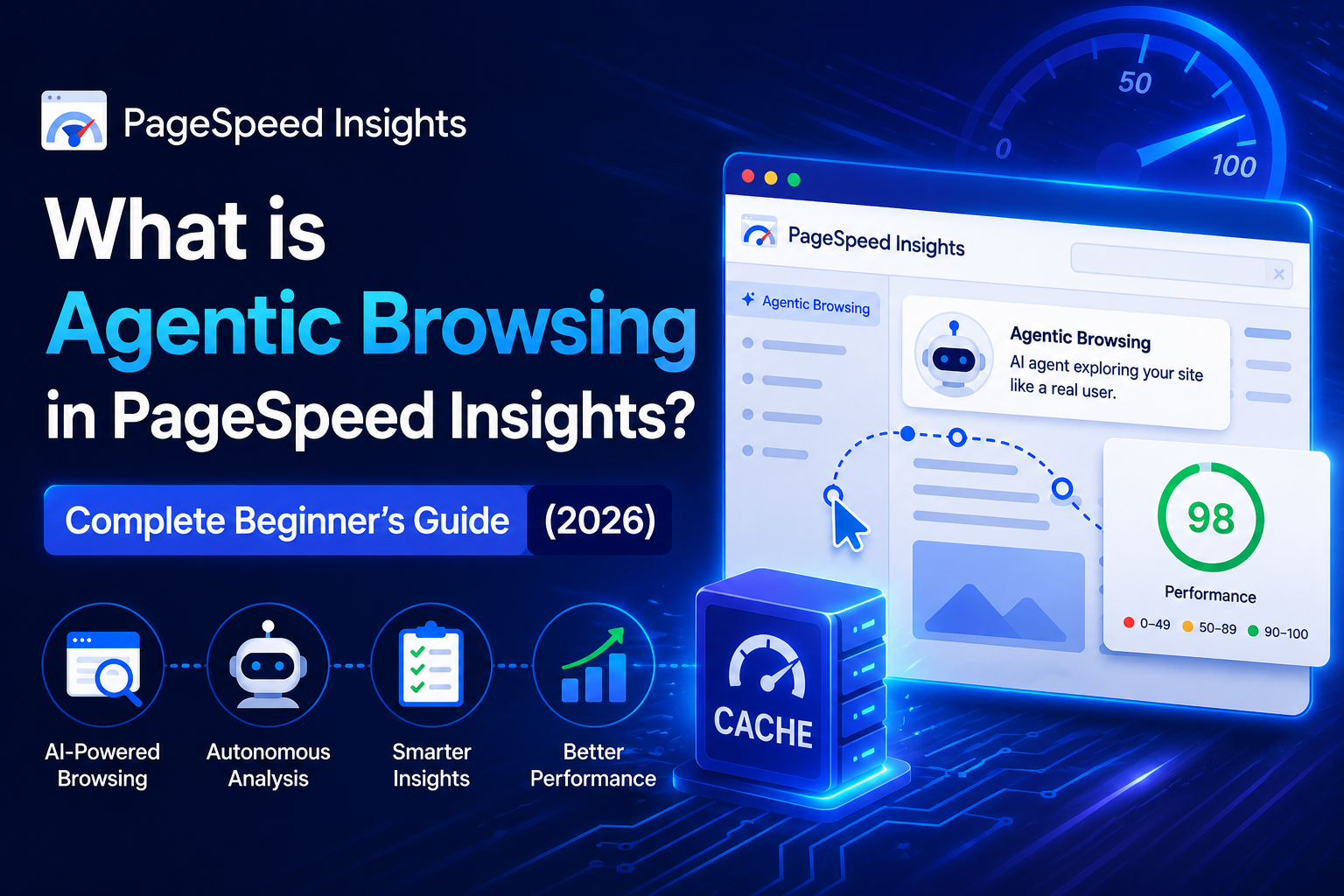
So you ran a PageSpeed test last week, and now there's a weird new section at the bottom you've never seen before. It says "Agentic Browsing" and shows something like 2/3 instead of a score out of 100. You're probably thinking — okay, what even is this, did Google break something, should I be worried?
No, nothing broke. But something genuinely interesting happened.
I want to explain it the way I wish someone had explained it to me — without the jargon overload, without making it sound more complicated than it is, and without pretending this is some massive emergency you need to drop everything for. It's not. But it is worth understanding, especially if you run a site with tools, maps, or data — like we do here at geotools.live.
First, a Tiny Bit of Context
Google's Lighthouse tool — the engine that powers PageSpeed Insights — has had the same four categories for years: Performance, Accessibility, Best Practices, and SEO. Those four categories cover pretty much everything a website needs to be fast, findable, and usable by humans.
Key word: humans.
On May 7, 2026, Google shipped Lighthouse version 13.3 with a fifth category. Not for humans. For AI agents.
Key Insight: Lighthouse 13.3 is the first time in the tool's history that a category was added specifically for machine visitors, not human ones. This is a fundamental shift in how Google defines "website quality."
That's the whole story, honestly. Everything else is just the details.
What Is an "AI Agent" Anyway?
If you've used ChatGPT to look something up, or asked Perplexity to research a topic, or noticed that Google's own AI mode pulls answers directly from websites — that's what we're talking about.
These tools don't just answer from memory. They actually visit websites. They click things, read things, sometimes fill out forms. They're doing what you'd do in a browser, except they don't have eyes. They can't look at your beautiful design and figure out what things mean. They rely entirely on the underlying structure of the page — the accessibility tree, the text content, the metadata.
Tools like OpenAI's Operator, Anthropic's Computer Use, Google's Project Mariner, and Perplexity are sending automated "visitors" to websites every single day on behalf of real users. A growing chunk of traffic hitting public web servers right now isn't people — it's these agents.
Pro Tip: Think of AI agents as blind assistants browsing on someone else's behalf. If your page only makes sense visually, they leave empty-handed — and so does the person who sent them.
Google noticed. And they built a way to measure it.
So What Does "Agentic Browsing" Actually Check?
When PageSpeed Insights runs the Agentic Browsing audit on your site, it checks three things by default. Just three. That's why the score shows as a ratio (like 3/3) instead of a number — it's literally counting how many of the three you passed.
Check 1: Can an AI Agent Actually Read Your Page?
Every website has something called an accessibility tree. You've probably never thought about it, but it's there on every page you've ever built. It's a stripped-down, structured version of your page that assistive technologies use — screen readers, keyboard navigation tools, and yes, AI agents.
If your buttons don't have text labels, if your form fields aren't properly connected to their labels, if your links just say "click here" — a screen reader user is confused, and an AI agent is equally confused. It can't figure out what to do.
This check is essentially asking: is your accessibility tree clean enough for a machine to make sense of your page?
Good news: if you've done any accessibility work at all, you're probably mostly fine here. If you haven't — this is two birds, one stone. Fix it for real users and AI agents at the same time.
Check 2: Does Your Layout Stay Still?
This one is CLS — Cumulative Layout Shift. You might have seen it before in the Core Web Vitals section. It measures how much stuff on your page jumps around while it's loading.
For a human visitor, layout shift is just annoying. The article you're reading jumps down because an ad loaded above it. Mildly infuriating, totally survivable.
For an AI agent, it's genuinely a problem. If an agent takes a screenshot of your page to understand what's on it, and then the layout shifts, it might click on the wrong thing entirely. Or it might try to extract content from a position on the page that no longer exists. Agents are fast — they don't wait around for things to settle the way you instinctively do.
Pro Tip: Always set fixed width and height attributes on images and video embeds. This single habit eliminates most CLS issues before they start — and it takes about thirty seconds per element.
Low CLS has always been a good thing. Now it's also an AI readiness thing.
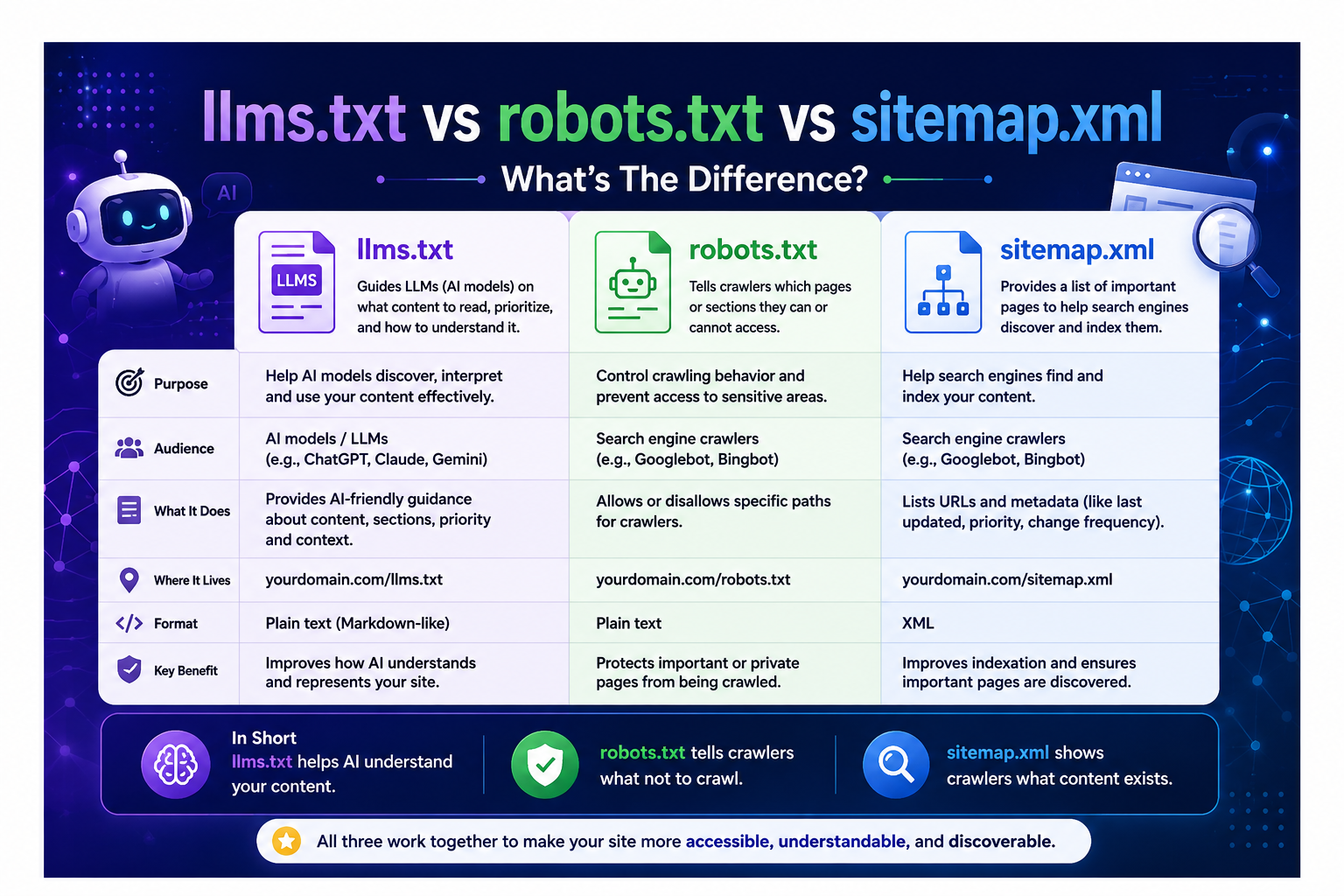
Check 3: Do You Have an llms.txt File?
This is the one most people haven't heard of, and honestly, it's kind of fascinating.
llms.txt is a plain text file that lives at the root of your domain — at yourdomain.com/llms.txt. It's written in Markdown. It's meant to be read by AI models, not by humans. Think of it like robots.txt, but instead of telling crawlers what to avoid, you're telling AI models what your site actually is and where to find the most important stuff.
A basic llms.txt for geotools.live looks something like this:
# GeoTools Live

GeoTools Live is a free online platform for geospatial tools, coordinate converters,
and spatial analysis utilities. Built for GIS professionals, developers, and anyone
working with geographic data.

## Key Pages
- [Coordinate Converter](https://geotools.live/tools/coordinate-converter)
- [GeoJSON Viewer](https://geotools.live/tools/geojson-viewer)
- [Distance Calculator](https://geotools.live/tools/distance-calculator)
That's it. Seriously. The audit just checks that the file exists, that it's accessible, and that it has a heading, some content, and links. You could write one in fifteen minutes.
The Fourth Check — WebMCP
There's a fourth audit called WebMCP, but it's experimental and it doesn't affect your default 3/3 score. It's really aimed at transactional sites — booking platforms, e-commerce stores, and SaaS dashboards where an AI agent might actually need to complete a task (like making a purchase or filling out a form).
If you run a content site or a tools site, Lighthouse will probably just mark WebMCP as "Not Applicable" and move on. Don't lose sleep over it.
All Four Agentic Browsing Checks at a Glance
| Check | What It Measures | In Default Score? | How to Pass |
|---|---|---|---|
| Accessibility Tree | Can agents read and use your elements? | ✅ Yes | Add labels, roles, and alt text to all interactive elements |
| Cumulative Layout Shift (CLS) | Does the page stay stable while loading? | ✅ Yes | Fix image dimensions, avoid dynamic content injection at top of page |
| llms.txt | Does an AI discovery file exist at the domain root? | ✅ Yes | Create /llms.txt with a heading, description, and key page links |
| WebMCP | Can agents take specific on-page actions? | ❌ Experimental | Register agent tools via WebMCP API (mainly for transactional sites) |
Does Any of This Affect Your SEO Score?
Direct answer: no.
Your Performance score — the 0–100 number you're used to — hasn't changed at all. Agentic Browsing is a completely separate section. It doesn't feed into any of the other Lighthouse scores. If your score looks different from last time you checked, it's not because of this — Lighthouse scores fluctuate for all sorts of reasons.
Now, will Agentic Browsing eventually influence how Google ranks sites? Maybe. Honestly, nobody knows for certain yet. Google has been careful to say the category is "under development" and that right now they're focused on gathering data, not ranking. But the fact that they built it into the default report — the thing that millions of site owners, developers, and clients look at every week — tells you where their head is at.
Key Insight: Lighthouse has plenty of audits that matter for quality without being direct ranking factors. Accessibility, Best Practices, and Core Web Vitals all influence user experience and indirectly affect rankings. Agentic Browsing will likely follow the same path.
How to Check Your Own Site
Head to pagespeed.web.dev and run your URL. If you're past May 2026 and using a current version of Chrome, you'll see the Agentic Browsing section appear automatically. No settings to toggle.
If you want to dig deeper, you can also open Chrome DevTools (Chrome 150 or newer), click the Lighthouse tab, and run a full report. Same results, more detail.
- PageSpeed Insights — fastest option, no install needed, go to pagespeed.web.dev
- Chrome DevTools — open DevTools → Lighthouse tab → Analyze page load (Chrome 150+)
- Lighthouse CLI — run
npx lighthouse@latest <your-url> --only-categories=agentic-browsingfor CI/CD pipelines
What This Actually Means for geotools.live
Here at geotools.live, we build free online tools for people working with geographic data — coordinate converters, GeoJSON viewers, spatial calculators, and more.
And here's the thing: people are already asking AI assistants questions like "what's a good free tool to convert KML to GeoJSON?" or "find me an online WGS84 to UTM converter." When they ask those questions, their AI assistant visits sites, reads content, and makes recommendations. That's real traffic that either finds us or doesn't.
If an AI agent lands on one of our tool pages and the accessibility tree is messy, or the layout shifts around, or there's no llms.txt explaining what geotools.live actually does — we're invisible to that agent. It can't recommend us even if we're the best option.
This is what people in the SEO world are starting to call Generative Engine Optimization (GEO) — making sure your site is legible to the AI tools that are increasingly sitting between search queries and website visits. The Agentic Browsing category in PageSpeed Insights is the first mainstream tool that actually puts a number on it.
Key Insight for GEO: Traditional SEO asks "can Google find and index this page?" GEO asks "can an AI agent read this page, understand what it does, and recommend it to a real user?" These are different questions — and in 2026, you need to answer both.
A Realistic Action Plan to Hit 3/3
If you want to get your site to 3/3 without making it a big project, here's the actual order to do it:
Step 1 — Create Your llms.txt (15–30 Minutes)
Create a plain text file, write a heading with your site name, add two or three sentences about what your site does, drop in links to your main pages, and upload it to your domain root. That's one third of the audit passed before lunch.
Step 2 — Fix Your CLS
Pull up your PageSpeed report and check the CLS number in the Core Web Vitals section. If it's already at 0 or very close, you're fine. If it's high, the usual culprits are:
- Images without fixed width and height attributes
- Third-party embeds without a reserved space
- Content injected dynamically at the top of the page on load
Fix those and re-run the test.
Step 3 — Audit Your Accessibility Tree
Run your site through an accessibility checker or go through it manually and ask yourself:
- Do my buttons say what they actually do?
- Do my form fields have proper
<label>elements connected to them? - Do images that carry meaning have descriptive alt text?
- Do icon-only buttons have an
aria-label?
Fix the obvious stuff first. You don't need a perfect accessibility score — you need a clean, machine-readable tree.
The Bottom Line
Agentic Browsing isn't a crisis. It's not going to tank your rankings tomorrow. It's also not nothing.
It's Google quietly drawing a line in the sand and saying: the web has a new kind of visitor now, and we're going to start measuring how well sites handle them.
The sites that get ahead of that — especially smaller tools sites and niche platforms like ours — have a real opportunity right now. The big players will get there eventually, but they move slowly. A focused independent site that passes 3/3 and has a solid llms.txt today could be the site that AI agents recommend by default for the next year.
That window doesn't stay open forever. But it's open right now.
Final Pro Tip: Run your PageSpeed Insights test today, screenshot your current Agentic Browsing score, fix the three checks, and screenshot again. That before/after is also useful social proof if you're sharing your optimization journey publicly.