I've been doing SEO long enough to remember when on-page optimization basically meant stuffing your keyword into the first paragraph a few extra times and calling it done. Those days are long gone — and honestly, good riddance.
On-page SEO in 2026 is more layered than it used to be. You're not just optimizing for Google anymore. You're optimizing for AI Overviews, for ChatGPT citations, for Perplexity, for voice search. The fundamentals haven't gone away — but there's a whole extra layer on top of them now that most checklists haven't caught up with yet.
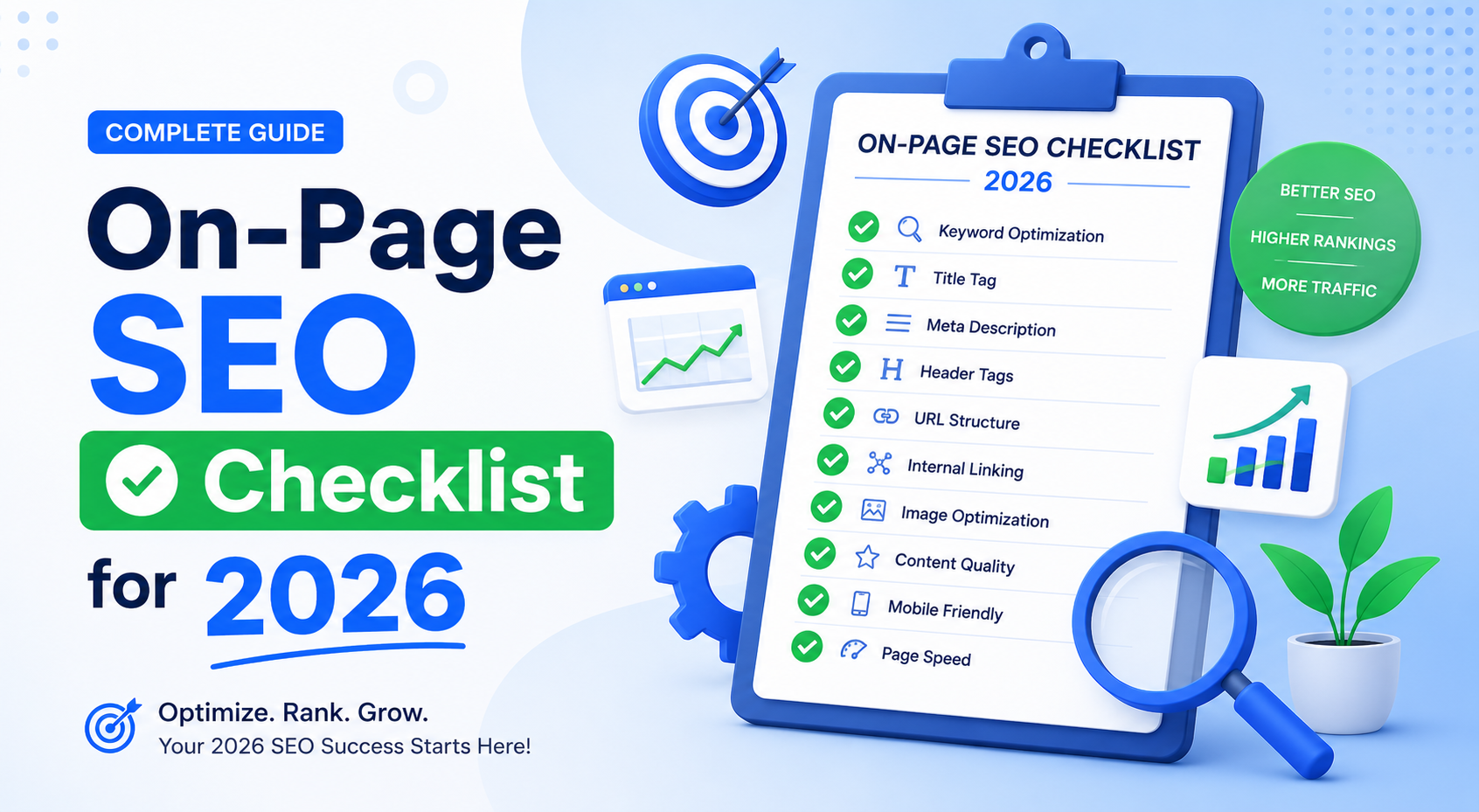
So I put this together as the checklist I actually use. Not a list of 87 things you'll never get through. The stuff that genuinely moves rankings in 2026, organized by priority, with notes on why each item actually matters.
1. Title Tag
Still one of the strongest on-page signals Google has. Get this wrong and everything else you do on the page is working harder than it needs to.
- Keep it under 60 characters — anything longer gets cut off in search results
- Put your primary keyword near the beginning, not buried after your brand name
- Write it like a headline a real person would want to click — not a keyword string
- Every page on your site should have a unique title tag — duplicates confuse Google and split ranking potential
Pro Tip: Read your title tag out loud. If it sounds like something a robot wrote, rewrite it. Google's click-through rate signals are real — a boring title costs you traffic even when you rank.
2. Meta Description
Doesn't directly affect rankings. Does directly affect whether anyone clicks your result. Those aren't the same thing, but one feeds into the other — higher CTR signals relevance to Google over time.
- 150 to 155 characters — any longer and Google rewrites it anyway, usually badly
- Include your target keyword naturally — Google bolds it in the snippet when it matches the query
- Write it as a pitch, not a summary — give someone a reason to click over the other nine results
- Unique meta description for every page — don't leave them blank and let Google auto-generate them
3. H1 Tag
One H1 per page. Not zero, not two, not three — one. It should contain or closely relate to your target keyword, and it should match the intent of the title tag without being a copy-paste of it.
A lot of CMS themes auto-generate the H1 from the page title, which is fine. What's not fine is having a theme that puts your logo or site name in an H1, which I've seen more times than I'd like to admit.
4. Heading Hierarchy (H2s and H3s)
Your headings are basically a table of contents for both Google and your reader. They should tell a clear story about what's on the page — if you read only the headings, you should understand what the content covers.
- Use H2s for main sections, H3s for subsections within those sections
- Include secondary and related keywords in H2s where it fits naturally — don't force it
- Don't use headings just to make text bigger — use them to signal structure
Key Insight: AI search engines like ChatGPT and Perplexity heavily rely on heading structure to parse what a page is about before deciding whether to cite it. A page with clear H2s is far easier to reference than a wall of unsectioned text.
5. Keyword Placement
The days of keyword density percentages are long gone. Google understands context now. But placement still signals relevance — especially in specific spots.
- First 100 words of the page — mention your primary keyword early and naturally
- At least one H2 — include the keyword or a close variant
- Image alt text — describe what's in the image; if the keyword fits naturally, use it
- URL slug — short, keyword-included, hyphen-separated (more on this below)
Use LSI keywords and natural variations throughout the content — related terms that confirm to Google the page covers the topic properly. Writing about "on-page SEO" should naturally include words like meta tags, title tags, crawling, indexing. If it doesn't, the content probably isn't deep enough.
6. URL Structure
Short, clean, readable URLs still perform better than long parameter-heavy ones. And they're easier to share, which helps with links.
- Include the target keyword in the URL
- Use hyphens to separate words, not underscores
- Remove stop words where possible — "on-page-seo-checklist-2026" beats "a-complete-guide-to-on-page-seo-for-the-year-2026"
- Keep it as short as possible while still being descriptive
- Once a URL is live and indexed, don't change it without setting up a proper 301 redirect
7. Content Quality and Depth
Here's what I mean when I say "quality" — not long, not well-written, not pretty. I mean: does this page actually answer the question better than the pages currently ranking for that keyword?
If the top three results are all 1,800-word guides with examples, screenshots, and FAQ sections, a 400-word page isn't going to outrank them. Not because word count is a ranking factor — it isn't — but because depth signals thoroughness, and Google rewards pages that comprehensively address the topic.
- Cover all the subtopics a searcher with this query would reasonably want answered
- Use examples, data, and specifics — vague content ranks worse than concrete content
- Answer the question early and directly, then support it with detail — don't bury the answer
- Update older content regularly — freshness still matters for competitive topics
Key Insight: In 2026, content depth matters doubly. It helps you rank in Google traditionally, and it gives AI engines something substantive to cite. Shallow content gets ignored by both.
8. FAQ Section and Schema Markup
This used to be optional. It's not really optional anymore.
FAQ sections do two things simultaneously. They target long-tail question-format keywords that are increasingly how people search — especially with voice and AI-assisted queries. And they give AI search engines a clear, structured signal: here is a question, here is the answer.
When you add FAQPage JSON-LD schema markup to your FAQ section, you're making that structure machine-readable. Google can display it as expandable rich snippets in search results, taking up more visual space than a standard listing. ChatGPT, Perplexity, and Google's AI Overviews can parse and cite it more accurately.
- Add 3 to 6 FAQs to each important page
- Base them on real questions — check Google's "People Also Ask" for your keyword
- Keep answers direct and concise — 40 to 60 words is the sweet spot for featured snippet eligibility
- Implement FAQPage JSON-LD schema — a free FAQ generator can build this automatically
9. Image Optimization
Images are one of the most consistently neglected parts of on-page SEO. They slow your page down if they're not optimized, they're invisible to Google if they don't have alt text, and they're a missed keyword opportunity if you haven't thought about file names.
- Convert to WebP format — significantly smaller file size than JPEG or PNG with minimal quality loss
- Set explicit width and height attributes on every image — fixes most CLS issues instantly
- Write descriptive alt text for every image — describe what's in it; include a keyword if it fits naturally, don't force it
- Rename files before uploading —
on-page-seo-checklist.webpis better thanIMG_4492.jpg - Lazy-load images below the fold — they shouldn't be blocking the initial page load
10. Internal Linking
The most underused SEO tactic. Every internal link you add passes authority, helps Google understand your site structure, and keeps users on your site longer — all three of which have positive SEO effects.
- Link to relevant pages within the same topic cluster
- Use descriptive anchor text — "on-page SEO checklist" is better than "click here"
- Make sure your most important pages have multiple internal links pointing to them
- Check for orphan pages — pages with no internal links pointing to them — and fix them
Pro Tip: Every time you publish new content, go back to three or four existing pages on your site and add a natural link to the new piece. This simple habit, done consistently, builds a powerful internal link structure over time.
11. Page Speed and Core Web Vitals
A direct Google ranking factor. There's no getting around this one.
| Metric | What It Measures | Target Score | Common Fix |
|---|---|---|---|
| LCP | How fast the main content loads | Under 2.5 seconds | Compress images, use WebP, enable caching |
| INP | How responsive the page feels | Under 200ms | Reduce JavaScript, defer non-critical scripts |
| CLS | How stable the layout is while loading | Under 0.1 | Set image dimensions, avoid injecting content above fold |
Run your pages through Google PageSpeed Insights — it's free and gives you specific, actionable recommendations. Don't chase 100. Getting from 50 to 75 will make a real difference. Getting from 90 to 100 usually isn't worth the effort.
12. Mobile Optimization
Google indexes the mobile version of your site first. If your mobile experience is broken or slow, that's what Google is evaluating — not your beautifully designed desktop version.
- Use a responsive design that adapts properly to all screen sizes
- Test with Google's Mobile-Friendly Test tool
- Make sure tap targets (buttons, links) are large enough to use on a phone without accidentally clicking the wrong thing
- Avoid interstitials that block the main content on mobile — Google penalizes these
13. Canonical Tags
If you have multiple URLs that serve similar or identical content — product pages with filter parameters, paginated archives, HTTP vs HTTPS versions — canonical tags tell Google which one is the "real" page to index and rank.
Without them, Google has to guess. It usually guesses fine but not always, and when it guesses wrong you end up with the wrong version ranking or both versions splitting authority.
- Add a self-referencing canonical tag to every page as a baseline
- Use canonical tags to consolidate near-duplicate pages
- Make sure pagination uses rel="next" and rel="prev" where applicable
14. Structured Data (Schema Markup)
Schema markup is code you add to your pages that helps Google understand what the content is — is this an article, a product, a recipe, a local business, a FAQ? The clearer you make that, the better Google can represent your content in rich results.
- Article schema for blog posts and news content
- FAQPage schema for FAQ sections — covered above but worth repeating
- Product schema for ecommerce pages — enables price, review, and availability rich snippets
- LocalBusiness schema if you serve a geographic area
- BreadcrumbList schema for cleaner URL display in search results
Key Insight: Structured data isn't just for Google anymore. AI search engines like ChatGPT and Perplexity actively use schema markup to understand and categorize your content when deciding whether to cite it in a generated answer.
15. AI Search Readiness (GEO)
This is the checklist item that didn't exist two years ago and now belongs near the top.
Generative Engine Optimization — or GEO — is the practice of structuring your content so AI-powered search tools can find, understand, and cite it. It doesn't replace traditional on-page SEO. It layers on top of it.
- Add an llms.txt file to your site root — tells AI crawlers which pages are most important to read, like a sitemap for AI
- Structure content with clear question-and-answer formatting wherever possible
- Use FAQPage schema markup — AI models parse this directly when building generated answers
- Write with specificity and directness — vague, general content rarely gets cited by AI engines
- Keep your content factually accurate and up to date — AI engines deprioritize stale or inaccurate sources over time
You can generate your llms.txt file for free in about five minutes — it crawls your sitemap and builds the file automatically. No technical knowledge needed.
The Full Checklist at a Glance
| # | Item | Priority | Time to Fix |
|---|---|---|---|
| 1 | Title tag — unique, under 60 chars, keyword-first | High | 5 min/page |
| 2 | Meta description — 150–155 chars, compelling, unique | High | 5 min/page |
| 3 | One H1 per page containing the target keyword | High | 2 min/page |
| 4 | H2/H3 heading hierarchy — logical and keyword-inclusive | High | 10 min/page |
| 5 | Keyword in first 100 words, H2s, alt text, URL | High | 15 min/page |
| 6 | Clean, short, keyword-inclusive URL slug | High | 2 min/page |
| 7 | Content depth — fully covers the topic, specific, fresh | High | Varies |
| 8 | FAQ section + FAQPage JSON-LD schema markup | High | 20 min/page |
| 9 | WebP images, alt text, lazy loading, set dimensions | High | 30 min/site |
| 10 | Internal links — contextual, descriptive anchor text | Medium | 10 min/page |
| 11 | Core Web Vitals — LCP, INP, CLS all passing | High | 1–4 hours |
| 12 | Mobile-friendly layout and tap targets | High | Varies |
| 13 | Canonical tags on all pages | Medium | 30 min/site |
| 14 | Schema markup — Article, Product, Local, Breadcrumb | Medium | 30 min/page |
| 15 | llms.txt file + GEO-ready content structure | Medium | 30 min/site |
Where to Start If You're Overwhelmed
Don't try to do all fifteen at once. If your site has thirty pages, that's a lot of work and most people quit halfway through.
Pick your five most important pages — the ones driving the most traffic or the ones you most want to rank better. Run them through a free SEO checker and fix everything it flags for those five pages first. Title tags, meta descriptions, H1s, image alt text, and page speed. That's your week one.
Then expand from there. The checklist doesn't need to be done in a day. Done properly over a month, it compounds. And unlike a lot of SEO tactics, on-page optimization is fully within your control — you don't need anyone's permission or a big budget. You just need to actually do it.
Free Tools to Work Through This Checklist
- Free SEO Checker — full on-page audit, flags exactly what needs fixing
- Meta Tag Generator — generates optimized title and description variations instantly
- FAQ Generator — builds FAQ sections from your page content with schema markup
- llms.txt Generator — creates your AI-readiness file in minutes, no technical knowledge needed
All free. No signup. No credit card.