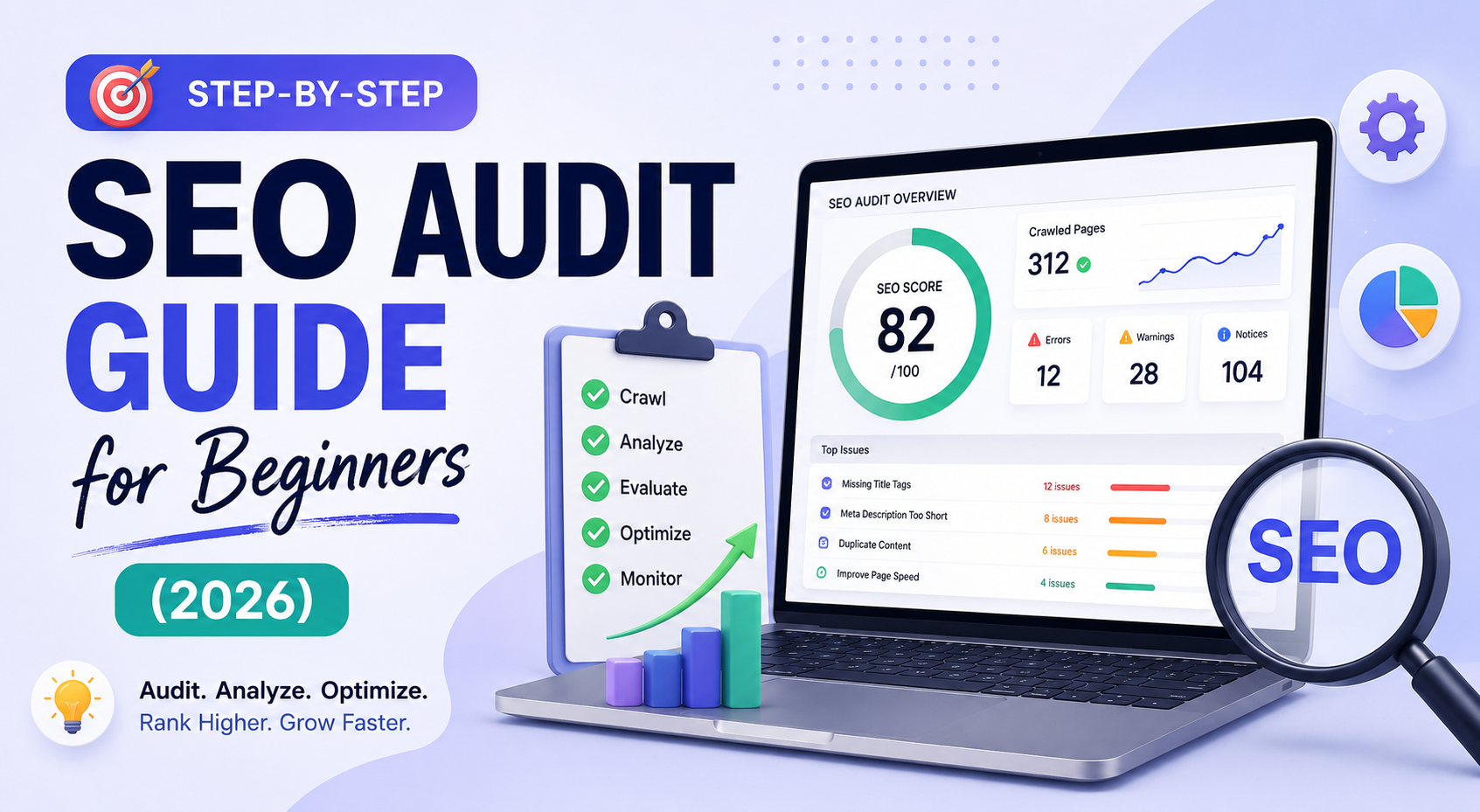
Step-by-Step SEO Audit Guide for Beginners
Everything you need to audit your website from scratch — no technical background required.
Your website is live. Your content is ready. But Google still isn't sending traffic your way — and you have no idea why. The answer is almost always hiding in plain sight, buried in technical errors, weak meta tags, or content that doesn't match what people are actually searching for.
An SEO audit is the diagnostic that finds those hidden problems. Think of it like a medical check-up for your website — it uncovers issues that quietly drain your rankings before they become irreversible. The good news? You don't need to be a developer or hire an agency to do one. This guide walks you through every step, in plain language, with free tools.
? What's in this guide
What is an SEO Audit?
An SEO audit is a structured evaluation of how well your website is optimized for visibility across search engines and — in 2026 — AI-powered discovery tools like ChatGPT, Perplexity, and Google's AI Overviews. It examines four core areas:
- Technical SEO — Can search engines find, crawl, and index your site?
- On-Page SEO — Are your titles, headings, and meta tags properly optimized?
- Content Quality — Does your content satisfy what users are actually searching for?
- Off-Page Signals — Do other authoritative websites link to yours?
Missing any one of these four areas means leaving real ranking opportunities on the table. Most beginners focus only on keywords — and completely ignore the technical foundation holding their site back.
Tools You'll Need (Most Are Free)
You don't need to spend a cent to run a solid SEO audit. Here's the core toolkit for beginners:
Check Your Technical SEO Foundation
Technical SEO is the foundation of your website. If it's cracked, everything you build on top of it is at risk — no matter how good your content or keywords are. This is where most beginner audits go wrong: they jump to keywords and ignore the technical layer entirely.
HTTPS Security
Your site must run on HTTPS, not HTTP. Google uses HTTPS as a ranking signal and browsers flag non-HTTPS sites as "Not Secure" — which tanks user trust and bounce rates instantly. Check your URL bar: it should show a padlock icon. If it doesn't, contact your hosting provider to install a free SSL certificate.
XML Sitemap
Your sitemap tells Google which pages exist on your site. Check if yours is accessible at yourdomain.com/sitemap.xml. If it's missing, generate one using a plugin (Yoast for WordPress) or GeoTools.live. Then submit it via Google Search Console under Sitemaps.
Robots.txt File
This file tells search engines which pages to crawl and which to ignore. Access it at yourdomain.com/robots.txt. Make sure important pages are not accidentally blocked. A misconfigured robots.txt file is one of the most common — and catastrophic — beginner SEO mistakes.
Disallow: / in your robots.txt blocks your entire site from Google. Always verify this file before and after any site changes.
- Site loads on HTTPS with a valid SSL certificate
- XML sitemap exists and is submitted to Google Search Console
- Robots.txt file is present and correctly configured
- No important pages are accidentally blocked from crawling
- HTTP security headers are in place (HSTS, X-Frame-Options)
Check Crawlability and Indexation
If Google can't access your pages, they simply cannot rank. Open Google Search Console and navigate to Coverage (or Indexing → Pages). You'll see which pages are indexed, which are excluded, and why.
Run a Site Crawl
Download Screaming Frog (free up to 500 URLs), enter your homepage URL, and start the crawl. This takes 15–30 minutes depending on your site size and gives you your first complete dataset. Look for:
- 4XX errors — broken pages that return "Not Found"
- 5XX errors — server errors that prevent pages from loading
- Redirect chains — multiple redirects slowing down page access
- Duplicate URLs — same content accessible via different URLs
- Orphan pages — pages with no internal links pointing to them
site:yourdomain.com into Google search. The number of results shown is roughly how many of your pages Google has indexed. If it's far fewer than your actual page count, you have an indexation problem.
- No critical pages showing 404 or 500 errors
- XML sitemap includes all important pages
- Redirect chains are 3 hops or fewer
- Canonical tags point to the correct preferred URL
- No orphan pages (every important page has at least one internal link)
Audit Your On-Page SEO Elements
On-page SEO is what most people think of when they hear "SEO." These are the elements on each individual page that signal to search engines — and users — what the page is about. Run your site through the GeoTools.live SEO Checker to instantly flag issues.
Meta Title Tags
The meta title is the clickable headline in Google search results. It's one of the most important ranking factors. Every page needs a unique, descriptive title that includes your target keyword near the beginning. Keep it between 50–60 characters to avoid truncation.
Meta Descriptions
While meta descriptions don't directly affect rankings, a compelling description dramatically improves your click-through rate — which does affect rankings. Aim for 140–160 characters. Include your keyword and a clear reason for users to click.
H1 and H2 Tags
Every page must have exactly one H1 tag — this is the main topic signal for that page. H2 and H3 tags organize your content into sections, helping both users and search engines understand the structure. Your H1 should include your primary keyword naturally.
Image Alt Text
Google cannot see your images without alt text. Missing alt attributes are a common — and easily fixed — SEO failure. Every image needs a descriptive alt attribute that tells search engines what the image shows. This also improves accessibility for users with screen readers.
- Every page has a unique meta title (50–60 characters, includes keyword)
- Every page has a meta description (140–160 characters)
- Each page has exactly one H1 tag with the primary keyword
- H2/H3 tags organize content logically
- All images have descriptive alt text
- Canonical tag points to the correct URL on every page
Evaluate Content Quality and Intent Match
A technically perfect website will not rank if it doesn't meet user expectations. This is where Google's E-E-A-T framework comes in — Experience, Expertise, Authoritativeness, and Trust. These signals determine whether your content gets rewarded or suppressed in search results.
Assess Search Intent
For each key page, ask: does the content fully answer what a user searching this keyword actually wants? Search intent breaks into four types — informational (how-to guides), navigational (finding a specific site), commercial (researching before buying), and transactional (ready to buy). Mismatching your content to intent is a silent traffic killer.
Check for Thin Content
Pages with fewer than 300 words on important topics, keyword-stuffed paragraphs, or copied product descriptions all trigger ranking suppression in 2026. Content should be more comprehensive than the top-ranking pages for your target keyword — not just longer, but more useful.
Identify Duplicate Content
Duplicate content confuses search engines and dilutes your ranking signals. Common causes include www vs. non-www URLs, HTTP vs. HTTPS versions, URL parameters, and copied product descriptions. Use canonical tags to tell Google which version is the "real" one.
- Content matches the search intent of the target keyword
- Important pages have substantial, useful content (300+ words minimum)
- No keyword stuffing — natural keyword usage only
- No duplicate content issues (canonical tags in place)
- Content demonstrates real expertise (author bio, original data, examples)
Test Page Speed and Mobile-Friendliness
Google uses page experience signals as a ranking factor — and since the majority of searches happen on mobile devices, mobile optimization is non-negotiable. A slow, unresponsive website leads to higher bounce rates, lower conversions, and lower rankings — three problems feeding into each other.
Core Web Vitals
Run your pages through Google PageSpeed Insights. The three Core Web Vitals you need to pass are:
- LCP (Largest Contentful Paint) — Main content loads in under 2.5 seconds
- INP (Interaction to Next Paint) — Page responds to interactions in under 200ms
- CLS (Cumulative Layout Shift) — Visual layout stays stable as the page loads (score under 0.1)
Mobile Responsiveness
Use Google's Mobile-Friendly Test tool to check how your site looks on small screens. Common issues include text too small to read, buttons too close together to tap, and content wider than the screen. Any of these issues directly hurt your mobile rankings.
- LCP under 2.5 seconds on mobile and desktop
- INP under 200ms
- CLS score under 0.1
- Site passes Google's Mobile-Friendly Test
- Images are compressed and served in next-gen formats (WebP)
- No render-blocking JavaScript or CSS
Analyze Your Backlink Profile
Search engines treat backlinks as confidence signals. When a high-authority website links to yours, it tells Google your content is trustworthy and worth ranking higher. But not all backlinks are equal — one link from a respected publication is worth more than a hundred links from low-quality directories.
Audit Your Existing Links
Use Ahrefs' free backlink checker or Semrush's free tier to analyze your backlink profile. You're looking at three key metrics:
- Domain Rating (DR) / Domain Authority (DA) — overall site authority
- Referring domains — number of unique sites linking to you
- Anchor text distribution — what words sites use when linking to you
Check Internal Linking
Internal links guide users to important pages and distribute ranking power (link equity) through your site. Map your page hierarchy: the homepage should link to major category pages, which link to individual articles. Money pages — pages that drive revenue — should sit near the top of this structure, not buried five clicks from the homepage.
- Key pages have multiple quality backlinks from relevant sites
- No toxic or spammy backlinks pointing to your domain
- Internal linking follows a logical hierarchy (pillar → cluster)
- Money pages are no more than 2–3 clicks from the homepage
- No orphan pages — every page is linked to from at least one other page
Check AI and GEO Readiness (2026 Priority)
In 2026, an SEO audit is incomplete without checking whether your content is visible in AI-generated search answers. Google's AI Overviews, ChatGPT, Perplexity, and Gemini don't just rank pages — they summarize, cite, and recommend brands. If your content isn't structured for AI readability, you're invisible in these new discovery channels.
Structured Data (Schema Markup)
Schema markup helps search engines and AI systems understand the context of your content. Use structured data for articles, FAQs, products, and how-to guides. FAQ schema, in particular, dramatically increases the chance your content is cited in AI Overviews and featured snippets.
AIO-Friendly Content Structure
AI systems prefer content that is direct and well-organized. To optimize for AI citations: answer the main question clearly in the first 40–80 words of each section, use bullet points and tables for scannable information, and ensure each section has a clear, descriptive heading.
LLMs.txt File
A newer GEO signal: adding a llms.txt file to your root directory tells AI crawlers how to understand and represent your site. GeoTools.live offers a free LLMs.txt Generator to create this file in seconds.
- FAQ schema implemented on relevant pages
- Article schema on all blog posts
- Each content section opens with a direct 40–80 word answer
- Clean formatting: bullet points, tables, descriptive H2/H3 headings
- Author credentials visible (bio, expertise signals)
- LLMs.txt file present in root directory
Build Your SEO Action Plan
An audit is only valuable if you act on it. The findings from steps 1–7 will generate a long list of issues. The final — and most critical — step is prioritizing them into an actionable roadmap. Don't try to fix everything at once. Focus on high-impact, low-effort wins first.
Priority Matrix
| Priority | Issue Type | Examples | Timeline |
|---|---|---|---|
| Critical | Blocks indexing or site access | Robots.txt blocking all pages, broken SSL, 500 errors | Fix immediately |
| High | Quick wins with high traffic impact | Missing meta titles, broken links on money pages, slow LCP | Within 1–2 weeks |
| Medium | Improvements that compound over time | Missing alt text, thin content, missing schema, internal linking gaps | Within 30–60 days |
| Low | Polish and future-proofing | Minor CLS issues, image optimization, LLMs.txt setup | Ongoing / next audit |
Track Your Progress
Create a simple spreadsheet with columns: Issue | Priority | Owner | Deadline | Status. Set monthly check-ins to measure organic traffic changes in Google Analytics 4. Most websites that follow through see a 20–40% traffic increase within 90 days of a thorough audit.
Common SEO Audit Mistakes to Avoid
Most beginner SEO audits fail not because of missing data, but because of common pitfalls that waste effort or lead to the wrong conclusions:
- Fixing technical issues while ignoring content. A technically perfect site still won't rank if content doesn't satisfy search intent. Both layers matter equally.
- Treating the audit as a one-time event. SEO is dynamic. Algorithm updates, competitor moves, and site changes all require regular re-auditing. Quarterly is the minimum.
- Obsessing over keyword rankings instead of traffic and conversions. A page ranking #4 for a high-volume keyword can outperform a page ranking #1 for a low-volume term. Always connect SEO metrics to real business outcomes.
- Ignoring mobile and UX signals. Many audits focus on desktop performance and never test how real users experience the site on mobile — where most of your traffic actually comes from.
- Celebrating quick wins without implementing fixes. Identifying issues feels productive. Actually fixing them is what moves rankings. Every task in your audit needs an owner and a deadline.
Frequently Asked Questions
Ready to Audit Your Website?
Use GeoTools.live's free SEO Checker to instantly scan your site for meta tag issues, missing H1 tags, broken alt text, HTTPS errors, and more — no account needed.
Run a Free SEO Audit →