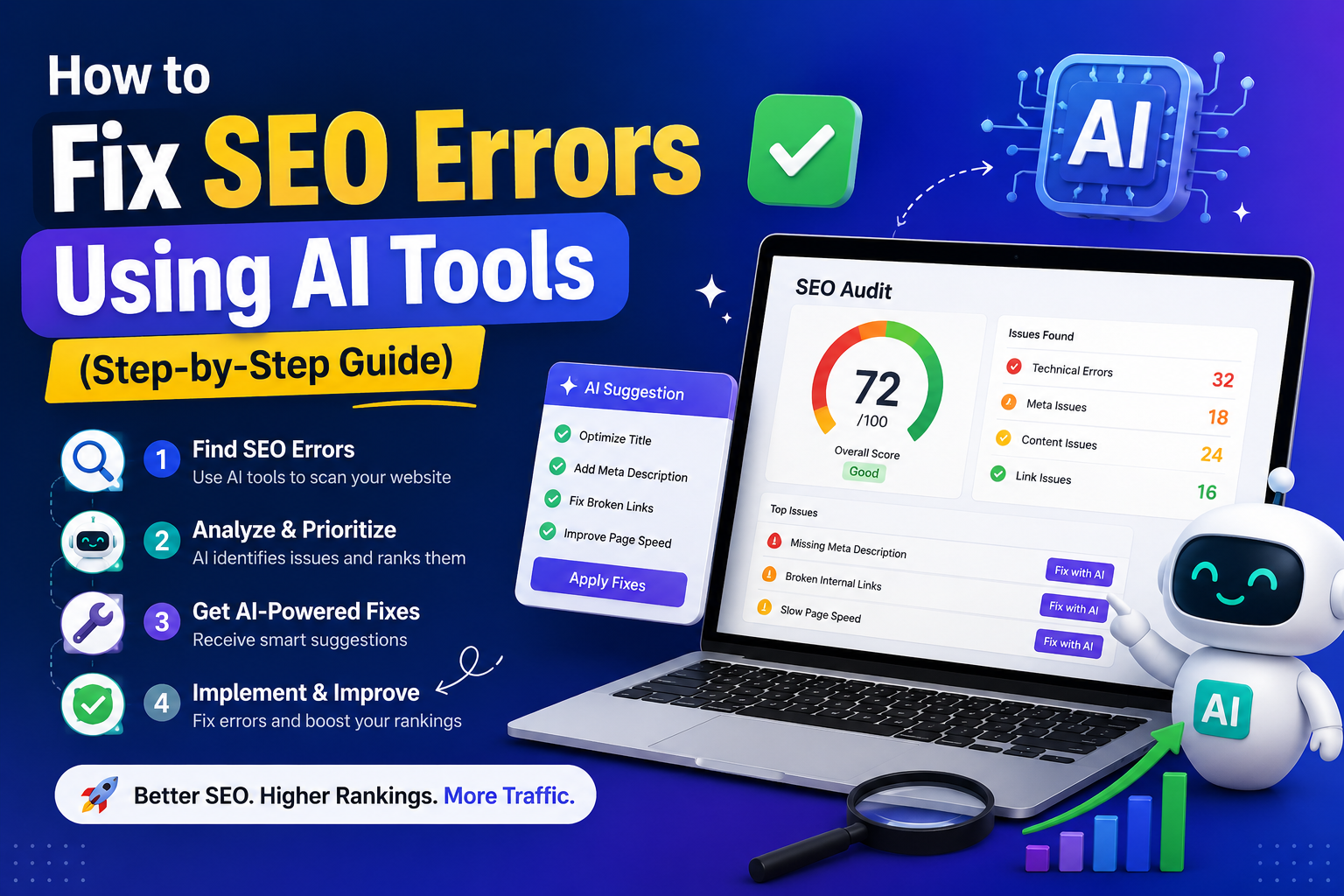
How to Fix SEO Errors Using AI Tools
You published the content. You built the pages. Your site looks fine on the surface. But Google isn't sending traffic, and you have no idea what's actually wrong. This guide walks through exactly how to find and fix SEO errors using AI tools — most of them free, none of them complicated.
Here's the uncomfortable truth most SEO guides won't tell you upfront: a huge number of website owners are ranking poorly for reasons they could fix in an afternoon. Broken meta tags. Missing alt attributes. Schema markup that was never set up. Canonical URLs pointing to the wrong version of a page. These aren't mysterious algorithmic penalties — they're straightforward technical errors, and AI tools can surface every single one of them in under sixty seconds.
What's changed in the last two years is the nature of "fixing." It used to mean hiring someone who understood robots.txt, or spending a week inside Google Search Console trying to decode cryptic error messages.
First, Understand the Two Layers of SEO Errors
Before reaching for any tool, it helps to understand that SEO errors fall into two distinct buckets — and confusing them leads to fixing the wrong things first.
These are table stakes. If you have serious problems here, nothing else matters until they're resolved.
The second bucket — newer, and increasingly important — is generative engine optimization readiness. This is about whether AI systems like ChatGPT, Perplexity, and Google's AI Overviews can read, extract, and cite your content. The errors here look different: missing schema markup, no llms.txt file, content structured in ways that AI systems can't easily parse, entity information that's ambiguous or absent. A site can be technically spotless for Google and still be invisible to AI search.
In 2026, you need to be fixing errors in both buckets. The tools below handle both — though not always the same tool for each.
Step-by-Step: How to Find and Fix SEO Errors With AI Tools
Run a Free AI SEO Audit — No Signup Needed
The first move is a clean scan of your page. Go to GeoTools SEO Checker and paste in your URL. No account. No email address. The tool runs immediately and returns a scored audit covering your meta title, meta description, H1, H2 tags, image alt attributes, canonical URL, and HTTPS status — plus GEO-specific flags that most free tools miss entirely.
Read the full report before touching anything. The instinct is to jump straight to the red items and start editing, but spending five minutes understanding the complete picture prevents you from fixing one issue while accidentally creating another. A missing canonical, for instance, is often connected to a broader duplicate content problem — fix the symptom without understanding the cause and you'll be back in two weeks.
Fix Meta Tag Errors First — They Cost You the Most
Meta titles and descriptions are the first thing search engines read and the first thing users see. Getting them wrong doesn't just hurt rankings — it kills click-through rates even when you do rank. A meta title checker will show you instantly whether your titles are missing, too long, too short, or duplicated across pages.
Duplicate meta titles are a specific problem worth hunting for. If you have ten service pages all using the same title template — "Services | Company Name" — Google has no way to distinguish between them. It will pick one to rank, usually not the one you want. Run a website SEO analysis using GeoTools or SEOmator and look specifically for duplicated title patterns across multiple pages.
Audit Your H1 and Heading Structure
Your H1 tag is the main handshake between your page and any search engine — traditional or AI. Every page should have exactly one H1, it should include the topic keyword for that page, and it should match the intent of the content that follows. That last part trips people up more than you'd expect. A page titled "How We Help Small Businesses" with an H1 that says "Our Story" is sending contradictory signals to both Google and to AI systems trying to categorize the content.
Run an H1 tag checker on your important pages. The common errors break down like this: no H1 at all (surprisingly frequent on CMS-built pages where the theme title visually but doesn't wrap it in an H1 tag), multiple H1s (often caused by page builders adding their own heading elements), and H1s that are too generic to help anyone understand what the page is about.
H2 and H3 structure matters too, Specially for AI readiness. AI systems navigate your content using heading hierarchies.
Fix Image Alt Tags — They're Free SEO You're Leaving Behind
Every image on your site that lacks an alt attribute is a missed opportunity. Not a catastrophic one — missing alt text won't destroy your rankings — but across a site with hundreds of images, the cumulative gap adds up. More practically, alt text is how Google Images indexes your visuals, and it's one of the signals AI systems use to understand what a page is about when the surrounding text is ambiguous.
An AI SEO checker will flag every image missing alt text in one scan. Go page by page through the flagged list and add descriptions. This is one of the rare SEO tasks where you can achieve full compliance in a single afternoon with no technical knowledge required.
Run a Schema Markup Check — This Is the GEO Fix That Matters Most
Schema markup is structured data embedded in your page's HTML that tells search engines — and AI systems — what your content is. A recipe page with proper schema tells Google it's a recipe with specific ingredients, cook time, and a star rating. An FAQ page with FAQ schema gives Google (and ChatGPT) pre-formatted question-and-answer pairs it can extract directly into search results and AI responses.
Use a free schema markup checker to see what structured data your pages currently have — and what's missing.
The connection to AI search is direct. When a user asks ChatGPT a question your content answers, the AI is far more likely to cite a page it can clearly parse and attribute. FAQPage schema is essentially pre-formatted for AI extraction — the question and answer are explicitly labelled in the code, making your content trivially easy for a language model to pull from.
Add an llms.txt File — Most Sites Still Don't Have One
This is the fix your competitors almost certainly haven't made yet. An llms.txt file lives at the root of your website and tells AI language models what your site contains, how it's organized, and what content is most important. It's the AI equivalent of a sitemap — and right now, the overwhelming majority of websites don't have one.
Getting this in place is straightforward. GeoTools provides a free llms.txt generator at geotools.live/llms-txt-generator — fill in your site details and it produces a properly formatted file you can upload directly. Once it's live, AI crawlers visiting your site have clear guidance on how to interpret your content. That translates into better citations, better extraction accuracy, and more appearances in AI-generated answers.
It takes about ten minutes to generate and upload. There is no good reason to still not have one.
Check Your Technical SEO With a Deep Audit Tool
Once the on-page and GEO issues are handled, go deeper on the technical side. SEOmator's free audit runs over 200 checks per URL and will surface things that page-level checkers miss entirely: redirect chains, broken internal links, pages blocked by robots.txt that shouldn't be, sitemap inconsistencies, and mobile usability problems that are silently pushing your Core Web Vitals scores down.
Pay particular attention to crawl errors. If Google's bots or AI crawlers like ChatGPT-User — are hitting 404 pages when following your internal links, those pages contribute zero to your site and actively waste crawl budget. Fix them by either restoring the missing pages, updating the links to point somewhere valid, or setting up proper 301 redirects.
Page speed is the other technical factor worth auditing carefully.
The Most Common SEO Errors and How Serious They Are
| Error | Severity | What to do | Tool to use |
|---|---|---|---|
| Missing or duplicate meta title | High | Write a unique, keyword-rich title under 60 characters for every page | GeoTools |
| Missing meta description | High | Write a compelling 150–160 character description with a clear reason to click | GeoTools |
| Missing or duplicate H1 | High | Ensure exactly one H1 per page containing the primary keyword | GeoTools |
| No schema markup | High | Add FAQPage, Article, or Organization schema depending on page type | SEOptimer |
| Missing canonical URL | Medium | Add a self-referencing canonical tag to every page to prevent duplicate content issues | GeoTools |
| Images without alt text | Medium | Add descriptive alt attributes to every meaningful image on the page | GeoTools |
| No llms.txt file | Medium | Generate and upload an llms.txt file to guide AI crawlers | GeoTools |
| Broken internal links | Medium | Fix or redirect every internal link returning a 404 error | SEOmator |
| No HTTPS | High | Install an SSL certificate — most hosts provide one free via Let's Encrypt | GeoTools |
| Slow page speed | Medium | Compress images, reduce scripts, improve hosting if needed | SEOmator |
| Missing H2 subheadings | Low | Structure content with clear H2 and H3 sections — helps both users and AI parsing | GeoTools |
Why AI Tools Catch Errors Faster Than Manual Audits
Manual SEO audits used to take days. An experienced consultant would crawl a site, export data, run it through spreadsheets, cross-reference against Google Search Console, and produce a report a week later. By the time you had the findings, some of them were already outdated.
AI-powered SEO checkers do the same analysis in seconds. Not an approximation — the actual checks. Meta tag length, heading hierarchy, canonical consistency, image alt coverage, HTTPS verification. All of it, immediately, on any URL you give them. The speed isn't a gimmick; it means you can audit ten pages in the time a manual review would take to get through one.
More practically: AI tools don't get tired or miss things because they scanned forty pages before yours. The fiftieth URL gets the same scrutiny as the first. For sites with large content libraries, that consistency is genuinely valuable.
What to Do After You've Fixed the Errors
Running the audit and making the fixes is step one. But SEO doesn't stay fixed — pages get updated, new content gets published, plugins change things underneath you without warning. The errors that don't exist today have a habit of reappearing.
Build a simple rhythm: run a free SEO audit on your highest-traffic pages once a month, and on any page within a week of publishing or significantly updating it. This doesn't need to be elaborate. Fifteen minutes with GeoTools and SEOmator catches most issues before they have time to affect rankings.
Also worth doing quarterly: run a competitor comparison. SEOmator lets you enter your URL alongside a competitor's and compare scores side by side. Where are they scoring higher? What issues do they not have that you do? Competitive intelligence at this level used to require expensive agency retainers — now it takes three minutes and costs nothing.
Frequently Asked Questions
How do I find SEO errors on my website for free?
Use a free AI SEO checker like GeoTools SEO Checker — no account or payment required. Paste your URL and you get an instant audit covering meta tags, heading structure, alt text, canonical URLs, HTTPS status, and GEO readiness. For deeper technical issues, run the same URL through SEOmator, which performs over 200 checks including broken links and crawl errors. Together, these two free tools cover the vast majority of errors affecting most sites.
What is the most common SEO error on websites?
Missing or poorly written meta titles and descriptions top the list — consistently, across every type of site. After that, missing image alt text, pages without a proper H1 tag, and absent schema markup are the errors that appear most frequently in audits. None of these require technical expertise to fix, which makes them frustrating to find sitting unaddressed on sites that otherwise have solid content.
Can AI tools really fix SEO errors automatically?
Not automatically — they identify and explain, but a human still makes the changes. What AI tools do is eliminate the diagnostic phase entirely. Instead of spending hours figuring out what's wrong, you spend five minutes reading a report and the rest of your time actually fixing things. The work shifts from detective to executor, which is a much better use of your time.
Does fixing SEO errors improve rankings quickly?
Depends on the error. Fixing a missing HTTPS certificate can produce visible improvements within days once Google recrawls the page. Addressing meta tag issues shows results over weeks as search engines update their understanding of your pages. Schema markup, once implemented, can appear in rich results relatively quickly — sometimes within a few days. Technical fixes like broken links and crawl errors tend to compound over time rather than producing immediate ranking jumps.
What's the difference between an SEO error and a GEO error?
An SEO error affects how traditional search engines like Google rank your pages — things like missing meta tags, slow load times, and broken links. A GEO error affects whether AI search engines like ChatGPT and Perplexity can find, read, and cite your content. Missing schema markup, absent llms.txt files, and content that isn't structured for answer extraction are GEO errors. Both types hurt your overall visibility, and a good AI SEO checker will flag both in the same audit.
Your Quick-Reference Fix Checklist
- Run a free SEO audit on every key page using GeoTools SEO Checker
- Write unique, keyword-rich meta titles under 60 characters for every page
- Write unique meta descriptions under 160 characters with a clear value hook
- Confirm exactly one H1 per page containing the primary keyword
- Structure subheadings (H2, H3) so AI systems can navigate your content
- Add descriptive alt text to every meaningful image on the site
- Add a self-referencing canonical URL to every page
- Implement FAQPage, Article, or Organization schema where appropriate
- Generate and upload an llms.txt file to geotools.live/llms-txt-generator
- Fix all broken internal links flagged in a deep technical audit
- Ensure HTTPS is active and all HTTP traffic redirects correctly
- Re-audit every page within a week of publishing or updating it
Start at the top of that list, work your way down, and re-run your audit when you're done. The score will go up. The traffic usually follows — though how quickly depends on how long those errors have been sitting there and how competitive your niche is.
What it won't do is fix itself. That part is still on you. But the tools to find every single problem on that list are free, they take seconds to run, and there's no good reason to put it off.
Start your free audit at geotools.live/seochecker — no signup, no waiting, instant results.